Premiere Pro 2020 or newer
The extension targets macOS and Windows through Adobe's CEP panel system. Adobe Premiere Pro 2026 on Apple Silicon is the recorded local test environment.
Motion Plug features
Preview, customize, add, and update motion graphics from one Premiere Pro panel.
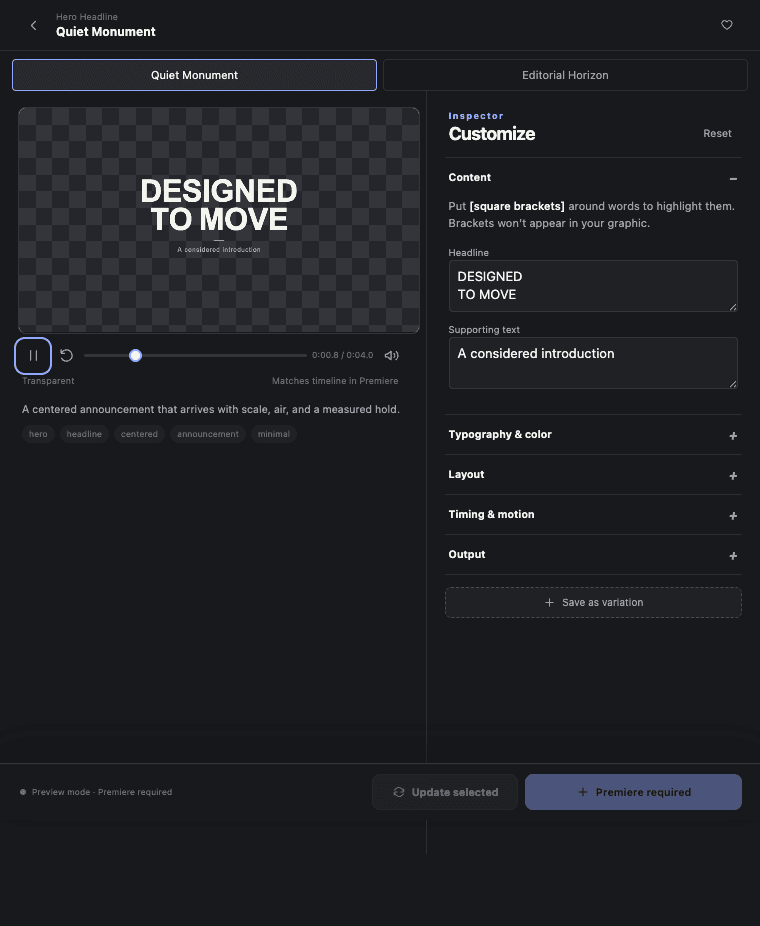
Motion graphics preview
Play, scrub, and inspect each preset before it reaches the timeline.
Motion graphics controls
Change content, typography, color, layout, timing, motion, and output settings in one inspector.
Premiere Pro timeline output
Motion Plug reads the active sequence, checks the target range, and adds the result at the playhead.
Motion Plug compatibility and output
The extension targets macOS and Windows through Adobe's CEP panel system. Adobe Premiere Pro 2026 on Apple Silicon is the recorded local test environment.
The extension itself works offline. It has no API key, account gate, or cloud render dependency inside the product.
Inserted graphics are PNG sequences, not MOGRTs. Revisions return to Motion Plug's Update selected workflow.
Callout anchors are deliberate manual positions. The interface does not promise unsupported tracking behavior.
Thirty presets, one lifetime license, no subscription.