Auto-Censor Profanity in Adobe Premiere Pro
Caption Plug can mask flagged words in captions, place 1 kHz bleeps on a new audio track, and non-destructively mute the original dialogue under each bleep.
Adobe Premiere Pro 2020 (v14) or newer · Windows and macOS · 14-day refund policy
2 words masked · 2 bleep windows (back-to-back swears merge)
This runs the plugin's exact word lists locally in your browser. Nothing you type leaves the page. Try class, Sussex, title, document - never touched.
Brand safety takes more than replacing letters
Masking the caption does not hide the spoken word. Adding a bleep does not help if the original dialogue stays audible underneath. Manual fixes also become tedious when the same edit contains several adjacent words.
SFW mode treats caption text, bleep placement, and dialogue gating as separate controls. Back-to-back flagged words merge into one bleep window, and exact-word matching avoids obvious false positives such as class, Sussex, title, and document.
From sequence audio to finished captions
- 01
Enable SFW mode
Choose whether to mask caption text, create bleeps, gate the original dialogue, or combine all three.
- 02
Transcribe the timeline
Caption Plug finds word-level time ranges from selected dialogue clips or the full sequence.
- 03
Review every match
See which words were flagged before generating. Proper names and context still deserve a human check.
- 04
Generate non-destructively
Bleeps land on a new audio track and dialogue volume changes use removable keyframes.
The Premiere panel and the output it controls
The panel preview uses the same caption engine as generated timeline media. The screenshot below is a real v1.1.3 panel capture; the current public version is v1.5.2.
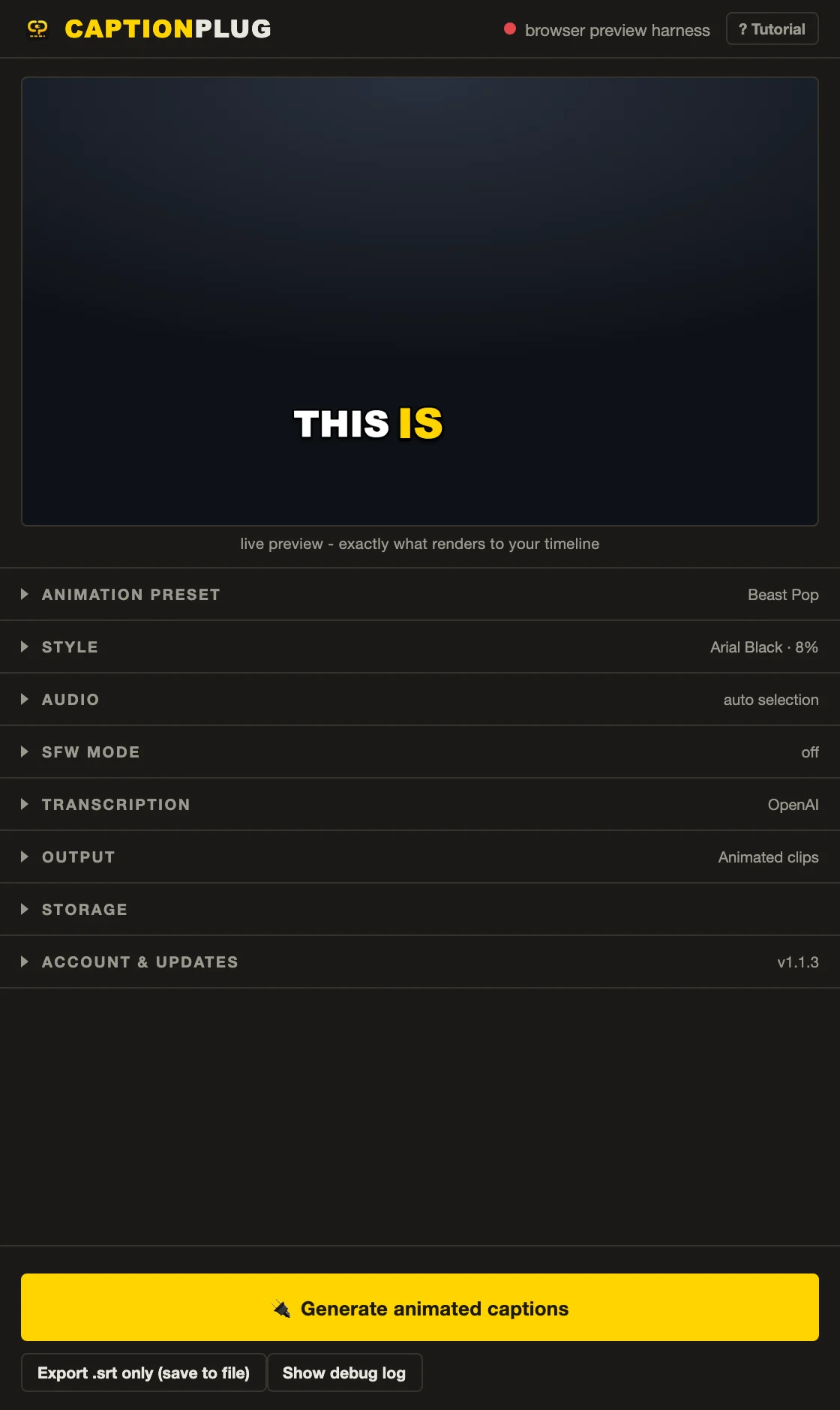
Masked text, clean bleeps, editable timeline changes
Use SFW mode with animated or editable captions, or choose Censor audio only to clean the timeline without generating captions at all.
- Adobe Premiere Pro 2020 (v14) or newer
- Windows and macOS
- Animated captions, editable captions, or audio-only censoring
- English-oriented censor lists with exact-word matching
- Automatic word lists cannot understand every context. Review names, quoted speech, reclaimed language, and platform-specific policies manually.
- Caption Plug does not guarantee monetization or approval from TikTok, YouTube, Instagram, advertisers, or clients.
- The built-in censor vocabulary is English-oriented. Other languages need manual review and may require transcript edits.
Frequently asked questions
Does auto-censoring hide the spoken swear word too?
It can. Caption Plug can place a bleep on a new audio track and add removable volume keyframes that mute the original dialogue beneath the bleep.
Can I review profanity matches before Caption Plug changes the timeline?
Yes. Review flagged transcript words first, then set individual words to Auto, Allow, or Force before generating the caption masks or audio changes.
Can I auto-censor audio without creating captions?
Yes. Censor audio only uses the timed transcript to place bleeps and optional dialogue gating without generating caption clips.
Does auto-censoring guarantee monetization?
No. It is a production aid. Platforms and advertisers assess the whole video, including topic, imagery, title, thumbnail, context, and repeated language.
Pay once. Use it without limits.
45 animated caption presets, 8 title presets, 62 fonts, local Whisper, and every v1.x update are included for $14.99.