CaptionX vs Caption Plug for Premiere Pro (2026)
By the Caption Plug engineering team · Published July 3, 2026 · Updated August 25, 2026 · 11 min read
CaptionX is the stronger fit when you want 100+ advertised languages, a Premiere plugin, a web caption studio, silence removal, and a broader hosted toolset. Caption Plug is the simpler value choice when you mainly need animated captions inside Premiere: $14.99 once, local Whisper, 45 animated presets, and editable or rendered output.
This comparison was rechecked on August 25, 2026. Caption Plug v1.5.2was tested hands-on in Premiere Pro 2026. CaptionX pricing and features were verified against its current official pricing, Premiere generator, and workflow pages. CaptionX was not independently installed for a shared speed or transcription-accuracy benchmark.
CaptionX vs Caption Plug
| Decision factor | CaptionX | Caption Plug |
|---|---|---|
| Current public price | Free: 5 generations. Pro: $139/year. Lifetime tier offered, price loaded at checkout. | $14.99 one time for the Premiere plugin |
| Purchase model | Free tier, annual subscription, or lifetime | Lifetime, one-time purchase |
| Premiere output | Unstyled, styled, or animated captions on the timeline; SRT or burn-in export | Native editable caption track, transparent rendered media, or SRT |
| Transcription | Hosted AI transcription | Bundled local Whisper; OpenAI and Groq optional |
| Languages | 100+ advertised | Multilingual Whisper with 15-language public QA sample |
| Caption presets | Built-in animated styles; no current public total found | 45 caption presets + 8 keyword-title presets |
| Additional tools | Web studio, silence removal, profanity filter, AI clips, eye correction on eligible plans | Auto-censor masks, timeline bleeps, dialogue gating, free SRT tools, focused browser studio |
| Best fit | Editors who value the wider hosted suite and broad language catalog | Editors who want an inexpensive, caption-focused, locally transcribed Premiere workflow |
Real Caption Plug workflow evidence
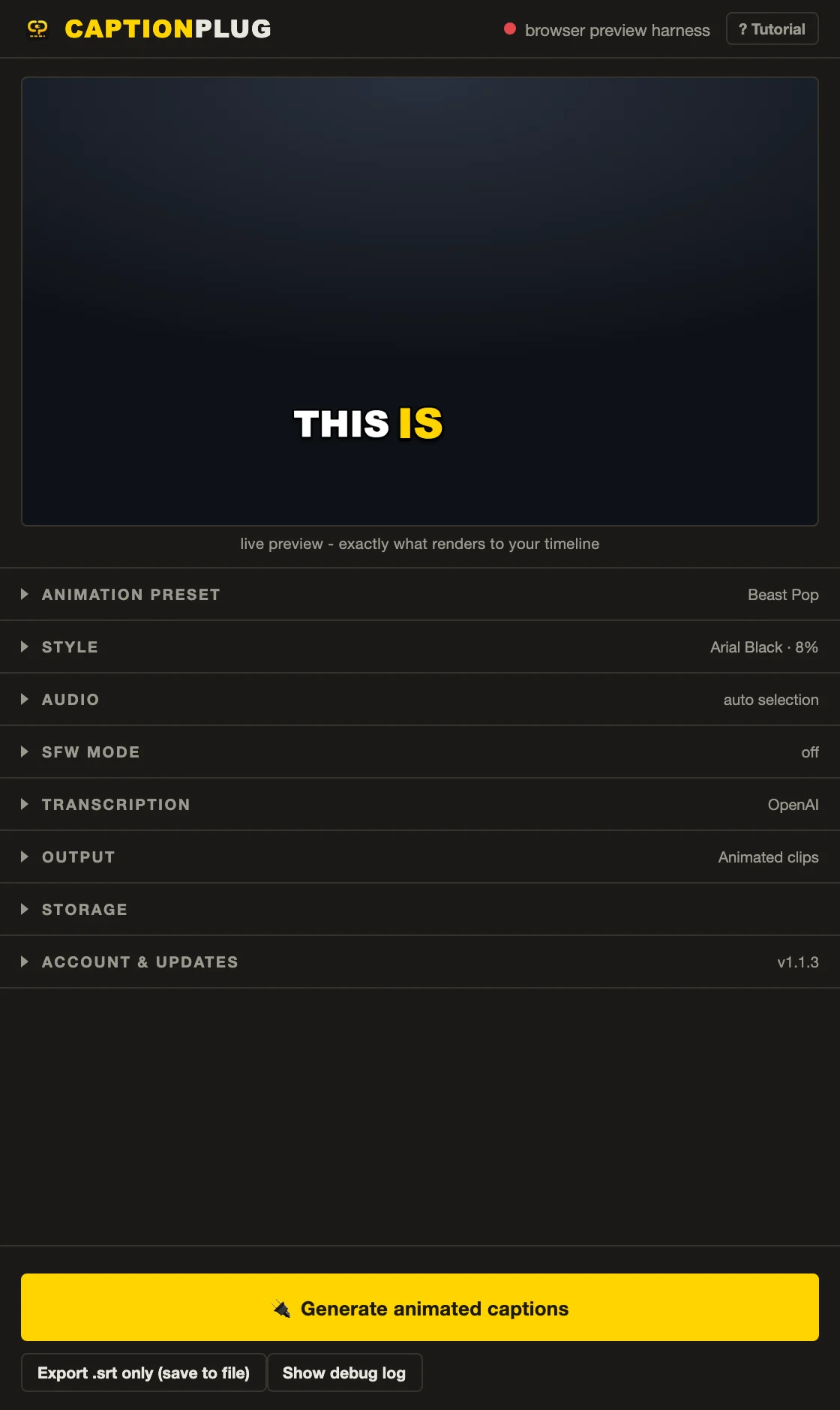

CaptionX publishes its own current interface screenshots in the official CaptionX workflow guide. We link to that first-party evidence instead of presenting a marketing image as a local test.
The actual difference: hosted suite or focused local plugin
CaptionX has grown into a broader caption platform. The official pricing page includes a Premiere caption generator, web caption studio, silence remover, profanity filter, AI clip generator, and eye correction allowances on eligible subscriptions. If several of those tools replace products already in your stack, the annual plan can make sense.
Caption Plug concentrates on the caption stage inside Premiere. The default local Whisper transcriptionruns on your machine after the model download. The output can remain a native caption track or become frame-accurate transparent media. The editable and rendered output guideexplains exactly what stays changeable in each mode.
Pricing: $139 per year versus $14.99 once
CaptionX's free tier is useful for a real evaluation: five caption generations, five silence removals, three profanity filters, animated captions, and the advertised 100+ languages. Its Pro plan currently lists $139 per year. A lifetime tier is present, but the price is loaded dynamically, so check the live checkout rather than an old review.
Caption Plug costs $14.99 once. That includes the bundled local model, every caption and title preset, 62 fonts, auto-censor and timeline bleeps, SRT export, and all v1.x updates. There is no per-caption or monthly plugin charge.
Output: editable captions and animated media are not the same
CaptionX offers unstyled, styled, and animated modes, and its official pages describe SRT and burned-in export. That is useful flexibility. Before switching, test whether the exact CaptionX output you use stays editable in the way your client revision process requires.
Caption Plug makes the trade explicit. Editable text creates a native Premiere caption track. Animated clips create transparent rendered media at the sequence resolution and frame rate. Fix a rendered word in the cached transcript and regenerate it. Read the detailed revision and storage comparisonbefore committing a long project.
Presets and visual range
CaptionX shows named looks such as Bold Pop, Cinematic, Fire, Neon Glow, Street Bold, Casual, and Clean Minimal. It does not currently publish a simple total on the pages we checked. Judge the styles you actually use, not an invented count.
Caption Plug publishes the entire live animated preset wall. It includes Beast Pop, Hormozi Box, TikTok Pill, karaoke fills, clean fades, glitch looks, and 8 keyword-title systems. The previews use the production render engine, so you can evaluate motion before purchase.
Languages and privacy
CaptionX wins on advertised breadth: 100+ languages, including Arabic, Hindi, Urdu, Indonesian, Japanese, Korean, and Swahili. That is a vendor claim, not a result from our own 100-language test.
Caption Plug uses multilingual Whisper and publishes raw results from a smaller 15-language smoke test. The trade is privacy and cost: local transcription keeps source audio on the computer and adds no usage bill. Browse the tested language evidence, including the Arabic RTL workflow, before choosing a production language.
When CaptionX is the better choice
- You need its advertised 100+ language catalog.
- You use the web studio, silence remover, AI clips, or eye correction enough to justify the plan.
- You want a free five-generation Premiere evaluation before paying.
- Your team is comfortable with hosted transcription.
When Caption Plug is the better choice
- Your edit already lives in Premiere and captions are the main problem.
- You want local Whisper without a required API key or transcription allowance.
- You want a native editable track and a deterministic rendered option.
- You prefer a $14.99 one-time purchase to another annual tool.
If you are comparing more than these two tools, use the full Premiere Pro caption plugin comparison. It puts CaptionX, Captioneer, SubMachine, Brevidy, AutoCut, FireCut, and Caption Plug in one table.
Testing methodology and sources
- Assessment date: August 25, 2026.
- Caption Plug: v1.5.2, hands-on in Premiere Pro 2026 with local transcription, transcript correction, preset preview, editable output, and rendered output.
- CaptionX: official pricing, Adobe caption generator, and product workflow pages reviewed. No local CaptionX installation or shared-source accuracy test was performed.
- No speed, accuracy, or stability winner is declared without a controlled cross-product run.
- CaptionX official pricingcaptured August 25, 2026
- CaptionX Premiere caption generatorcaptured August 25, 2026
- CaptionX official workflow and screenshotscaptured August 25, 2026
August 25, 2026: Source capture, v1.5.2 product context, publisher disclosure, and explicit limits on unmeasured performance claims checked.
Quick answers
How do CaptionX and Caption Plug differ for Premiere Pro?
Caption Plug fits editors who mainly need animated captions on a Premiere timeline, with a $14.99 one-time price, 45 animated presets, 62 fonts, and local transcription. CaptionX fits users who need its broader hosted suite or advertised 100+ language catalog. This is a workflow fit, not an accuracy or speed ranking.
Is CaptionX worth it?
CaptionX can be worth it if you use more than its Premiere captions: web captioning, silence removal, broad language coverage, AI clips, and eligible eye-correction allowances. If you only need modern captions in Premiere, a lower-cost one-time plugin is usually easier to justify.
Does Caption Plug replace every CaptionX feature?
No. Caption Plug is a dedicated Premiere Pro caption plugin, not a replacement for every CaptionX web or AI tool. It focuses on animated captions, native captions, SRT files, local Whisper, and auto-censored timeline output inside Premiere.